


Nagad Uddokta
4.2432.00 Reviews
App Specs
- Version
- 1.0.119.01
- Updated On
- License
- Free
- Downloads
- 5,000,000+
- Developer
- Nagad Limited
- Categories
- Finance
- Platform
- Android
Screenshots

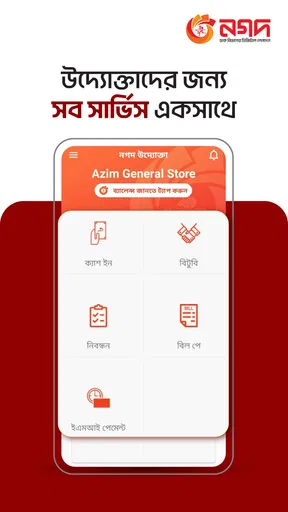
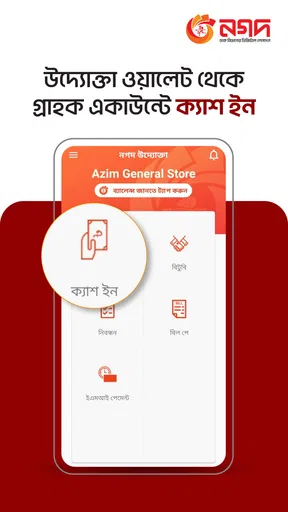
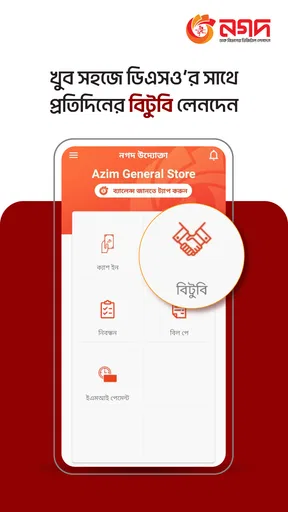
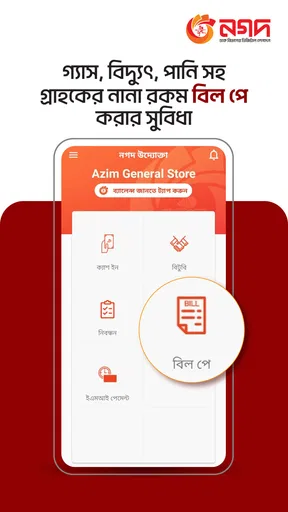
 Analysis by AppCompare
If you run a small business or work as a Nagad Uddokta, the first question I’d ask is not whether this is a general money-management app, but whether it fits the day-to-day needs of that role. Nagad Uddokta is a finance app from Nagad Limited, and its purpose is tied to the Nagad Uddokta channel. That makes it a more focused choice than a standard budgeting tool or a personal wallet: its value depends on whether you need to work within that channel, rather than simply track household spending.
What free access does—and does not—tell you
The app is free to download, so trying it does not involve an upfront purchase. I see that as a useful starting point for someone who already has a reason to use the Nagad Uddokta service. Free access alone, though, does not tell you what the costs of any transactions or related services might be. I would check the applicable terms for those services separately instead of assuming that every activity connected to the app is free.
That distinction matters when you are choosing a financial tool. A free app can still be worthwhile if it supports work you already do, but its value is not the same as a promise of free financial services. I would judge it by whether it makes your specific Nagad Uddokta tasks easier and clearer, not by the download price alone.
A channel tool, not a universal finance manager
The most important practical point is its focus. The app is described as a channel app for Nagad Uddokta, so I would not approach it as a replacement for a general personal finance app, a bank’s mobile app, or a broad expense tracker. Those alternatives serve different jobs: a budget tool helps organize household spending, while a bank app is centered on that bank’s services. This one is relevant when your work or service needs are connected to the Nagad Uddokta channel.
That narrower purpose can be a strength. If you are an Uddokta, having a channel-specific app may be more useful than trying to adapt a general wallet to your work. But if you only want to check your personal budget, compare everyday spending, or manage accounts across providers, I would look for a tool designed around those tasks instead. Choosing by the job you need done will save you from expecting this app to act like something it is not.
Where it may fit into a working day
Imagine you are preparing to handle your usual work and want a phone-based way to access the Nagad Uddokta channel. In that situation, a dedicated app is a reasonable place to start: it keeps the relevant service separate from personal budgeting tools and other financial apps. Before relying on it for a time-sensitive task, I would first get comfortable with its sign-in and navigation, then confirm that the options you need are available in your account.
A useful habit is to keep business-related activity and personal spending mentally separate, even when they share one phone. That makes it easier to review what you did for work without confusing it with household transactions. I would also make sure I can access the account details and support route I need before a busy period, rather than discovering a sign-in or account issue while a customer is waiting. Those are simple steps, but they matter more in a channel-specific finance app than in a casual budgeting tool.
Worth Reading Before You Choose

EA SPORTS FC Mobile 26 Is a Bigger Football Game, but It Takes Time

Flipboard Shows What News Apps Must Do Beyond the Feed

Switching to Android Auto Means Rethinking Your Driving Routine

Google Calendar Makes a Crowded Week Easier to Manage

Ludo King Makes the Most of the Minutes Between Plans

Baby Panda World Brings Quick Play to Modern Phones, but Its Game Library Feels Busy
Who is likely to get the most from it?
I would consider it if I were already a Nagad Uddokta or had a clear reason to use that channel. Its focused role is the point: the app is aimed at a particular kind of financial work, not at every person who wants to organize money. It is also free to download and rated for Everyone, which lowers the barrier to checking whether it suits your needs, though those details do not replace checking that you are eligible to use the service itself.
On the other hand, I would skip it if my only goal were to set monthly spending limits, build a household budget, or bring unrelated financial accounts together. A conventional budgeting app is a better fit for those jobs, and a provider’s own app may be more appropriate if I only need to manage a personal account with that provider. The right choice is the one that matches your role, not the one with the broadest-sounding finance label.
Getting Started with Nagad Uddokta
Alright, first things first. Setting up Nagad Uddokta is a breeze. You’ll find it on both Android and iOS, so no worries about compatibility. Once you’ve got it installed, the registration process is straightforward. A few taps here, a couple of clicks there, and you’re in! The interface greets you with a clean, intuitive design that's easy on the eyes. Honestly, it feels like it was made for someone like me who isn’t exactly tech-savvy.
Features That Stand Out
What really caught my attention were the features. Let’s talk about them:
- Real-Time Transactions: This is a biggie for anyone who loves having control over their finances. The app provides real-time transaction updates, so you’re never in the dark about where your money is going.
- Comprehensive Dashboard: The dashboard gives you a bird’s-eye view of your financial activities. It’s like having a personal finance assistant in your pocket!
- Ease of Use: Everything is laid out in a way that feels natural. It’s intuitive, even for those who might not be the best with technology.
And let’s not forget the security measures they've put in place. In today’s world, that’s a must-have, and Nagad Uddokta doesn’t disappoint.
Why You’ll Love It
If you’re anything like me, you appreciate an app that saves time and reduces stress. This app does just that. I’ve found myself spending less time worrying about financial transactions and more time enjoying other things. Plus, the community support and resources available through the app are top-notch. It's like being part of a club where everyone has your back.
Room for Improvement
Now, no app is perfect, right? While Nagad Uddokta is pretty fantastic, there are a couple of things that could use a little polish. Occasionally, there’s a slight delay in loading times, especially if you’re on a slower internet connection. Also, while the app is packed with features, a little more customization would be the cherry on top.
Checking compatibility and keeping expectations realistic
On Android, the listed minimum requirement is version 5.0, which is useful if you are using an older handset. The current version is 1.0.117.02. I would check the app’s availability on the device you plan to use before building a work routine around it, especially if that device is shared or has limited storage. The app is free, but the practical cost of using it also includes having a dependable phone and connection when you need to reach the channel.
For a financial app, I would treat sign-in security as part of the workflow rather than an afterthought. Use a device you can keep under your control, avoid sharing account credentials, and lock the phone when you are not using it. If several people need access for work, I would clarify the account’s permitted use rather than passing one login around casually. Those habits do not add features to the app, but they help reduce avoidable confusion and exposure.
How I would evaluate it before depending on it
I would start by identifying the exact tasks I expect the app to support, then test those tasks calmly before relying on it during a busy shift. Check that you can sign in, find the relevant screens, and understand what a successful action looks like. If your work depends on a transaction being reflected promptly, do not treat an on-screen update as a substitute for your own normal checks; make sure the result is clear before moving on to the next customer or task.
This is also where a channel-specific app differs from a general wallet. A broad wallet may be convenient for personal transfers or payments, but convenience does not make it interchangeable with a work channel. Conversely, a dedicated channel tool is not automatically the best place to organize your private finances. I would keep each app assigned to the job it is meant to do, which makes records easier to interpret later and reduces the chance of mixing up personal and work activity.
Popularity, support, and practical expectations
The app has an average rating of 4.0 from around 31,000 ratings, with more than 327 written reviews, and it has passed 5 million installs. I read those figures as evidence that many people have tried it, not as proof that every account or device will have the same experience. Ratings can help set context, but for a work tool I would give more weight to whether the specific steps I need are reliable on my phone and whether I can resolve account questions through the appropriate support channel.
Its Everyone age rating describes the app’s content classification; it does not mean that every user can register for or use the Uddokta service. If you are considering it for a business, confirm that your role and account are eligible before making it part of your daily process. That is the practical question to settle first, because a simple interface is only useful if you can actually use the channel it serves.
Final Thoughts
So, should you give Nagad Uddokta a try? Absolutely. It’s a solid app for anyone looking to manage their finances more effectively. With its intuitive interface, real-time updates, and robust security features, it’s a win in my book. If you’re ready to take control of your financial world, this app is definitely worth a download. Trust me, you’ll wonder how you ever got by without it.
Ready to jump in? You can find Nagad Uddokta on the App Store for iOS and Google Play for Android. Happy managing!
My buy-or-skip verdict
Because the download is free, I would try it if I already had a legitimate reason to use the Nagad Uddokta channel and a compatible phone. I would not install it just because I wanted a new way to budget or because the finance category sounds broad. The deciding factor is fit: for channel-related work, it may be a useful, focused tool; for general money management, I would choose an app built for that purpose.
Overall, I see the strongest value in giving an existing Uddokta a direct mobile route to the service, while the main trade-off is that its usefulness is limited by that specific role. If you are unsure whether the channel is right for you, check your eligibility and the tasks you need to perform before depending on it. That small check is more valuable than assuming a free download will solve a broader financial need.
Pros
- User-friendly interface with intuitive navigation.
- Secure transactions with multiple authentication layers.
- Real-time notifications for all financial activities.
- Extensive network of agents across the country.
- Low transaction fees compared to competitors.
Cons
- Limited customer support during off-peak hours.
- Occasional app crashes on older devices.
- Requires stable internet for optimal performance.
- Limited international transaction options.
- Some features are region-specific.
FAQs for Nagad Uddokta
What is Nagad Uddokta and how does it work?
Nagad Uddokta is a mobile financial service app designed to facilitate easy and secure financial transactions for users. It allows customers to send and receive money, pay bills, and manage their financial accounts through a user-friendly interface. The app integrates several features to ensure seamless processing and provides a reliable platform for both personal and business transactions.
Is Nagad Uddokta secure to use for financial transactions?
Yes, Nagad Uddokta prioritizes user security by implementing advanced encryption technologies and secure authentication processes. The app requires users to verify their identity through multi-factor authentication, ensuring that personal and financial data are protected against unauthorized access. Regular updates are applied to enhance security measures.
What are the main features of Nagad Uddokta?
Nagad Uddokta offers a variety of features, including money transfers, bill payments, and mobile top-ups. It also supports business transactions and provides detailed transaction histories. Users can link their bank accounts for seamless financial management, and the app offers customer support to assist with any issues or inquiries.
Are there any fees associated with using Nagad Uddokta?
Nagad Uddokta may charge minimal fees for certain transactions, such as money transfers or bill payments. The fee structure is designed to be competitive and transparent, ensuring that users are aware of any charges beforehand. Detailed information on fees can be accessed within the app or through customer support.
Can Nagad Uddokta be used internationally?
Currently, Nagad Uddokta is primarily designed for use within its home country, focusing on local transactions. However, the app may offer limited international transfer services depending on partnerships with global financial institutions. Users should check within the app or contact support for the latest information on international capabilities.


